Use Cases

Hong Kong Working Day Use Cases

Scenario-driven walkthroughs for employment notice periods, court filings, conveyancing deadlines, securities disclosures, and construction payment responses. For the underlying rule guidance, see the Hong Kong guide. For deeper dives and edge cases, browse Articles.

1-Month Notice Period Calculator (Hong Kong)

Configurable Employment Ordinance example

Scenario

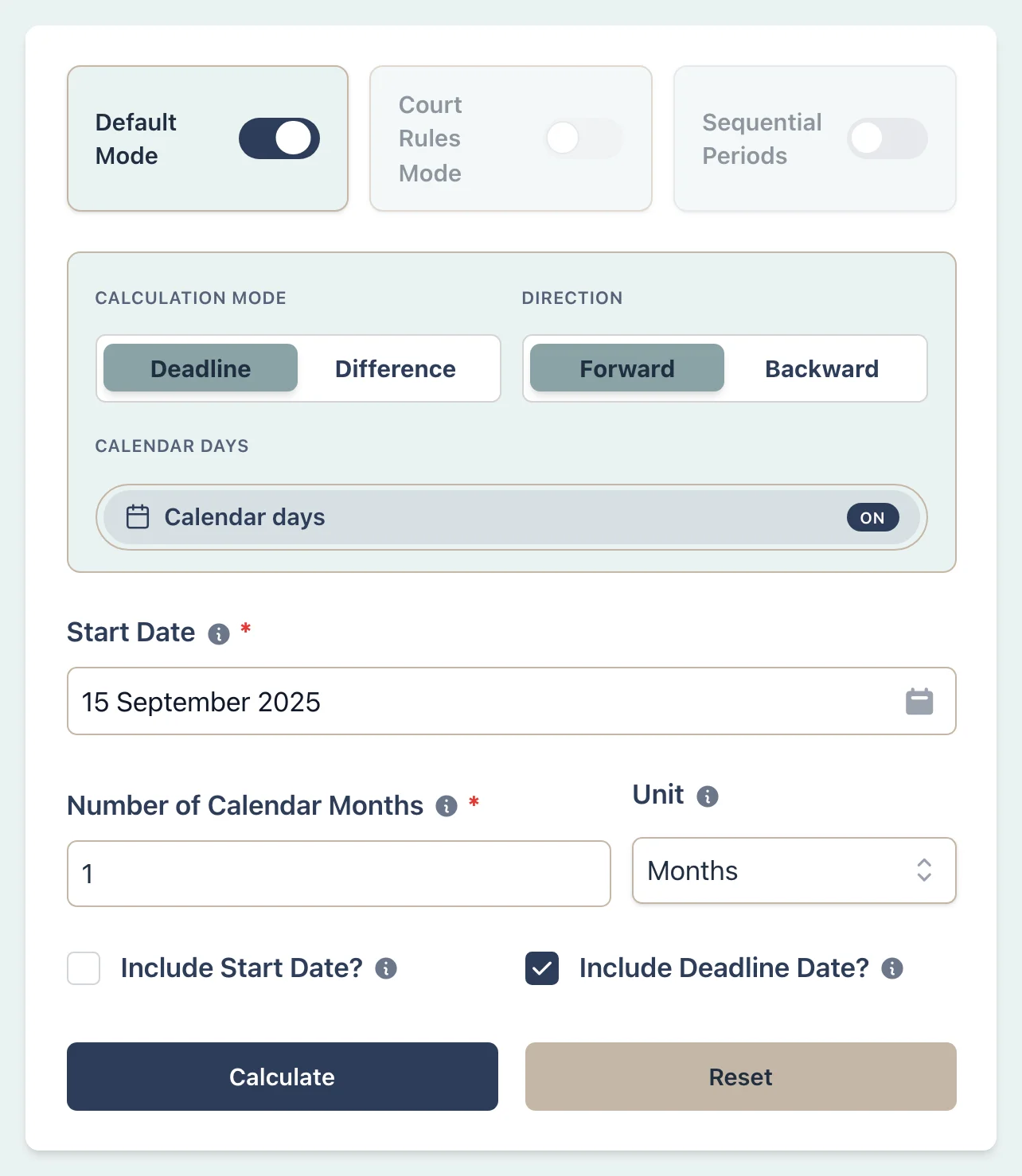
Assume an employee gives notice on 15 September 2025, has completed probation, is employed under a continuous contract, and has a contract that does not state a notice period. The Labour Department's table gives a period of not less than one month for this situation. Calculate one calendar month using the published month-boundary method.

Employment notice period scenario setup
Tap to enlarge

Example Workflow

Use the step row to inspect each part of the workflow.

6 steps

Step 1

Deadline

Select Deadline mode

Result Example

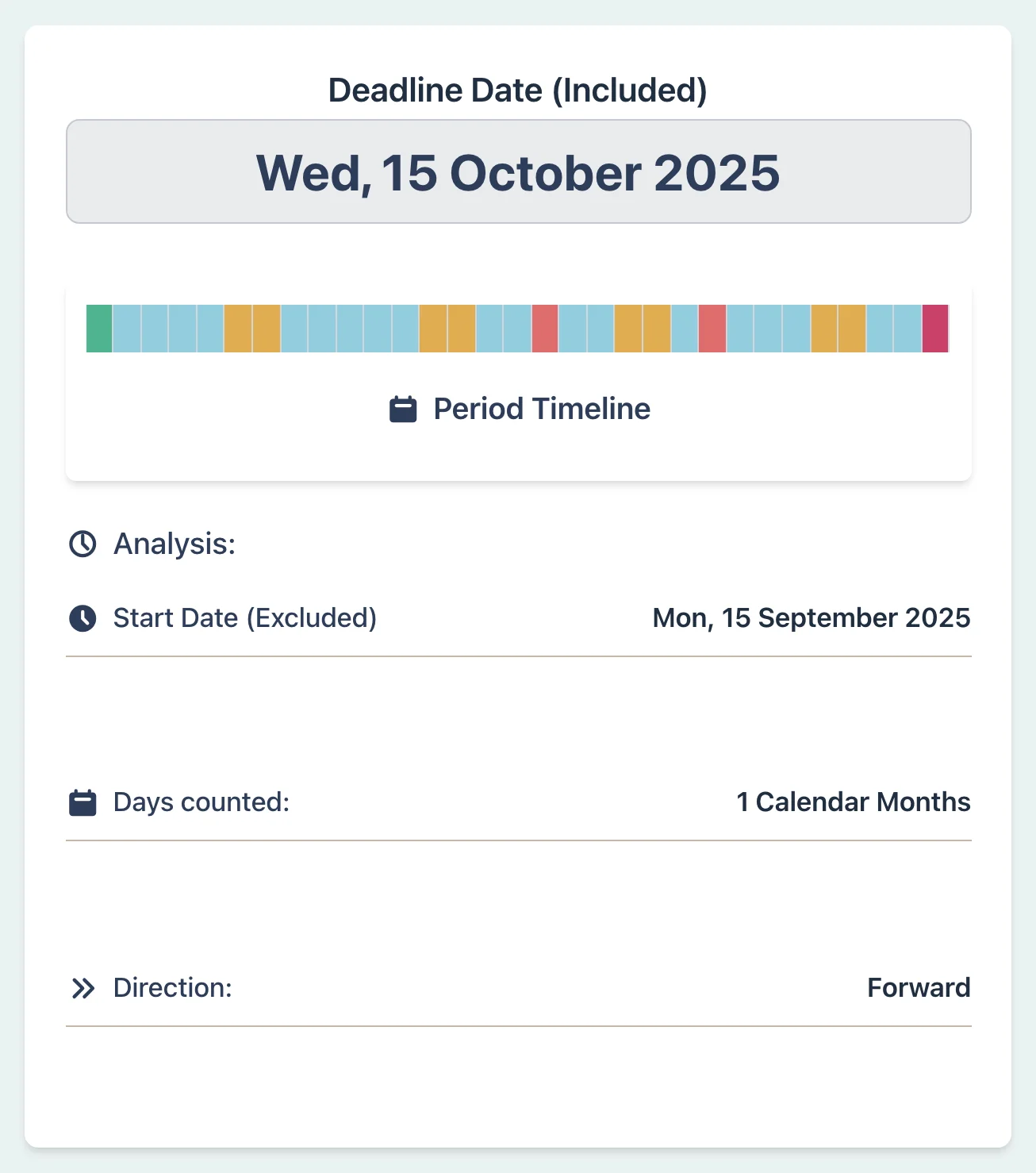
Notice Given: 15 Sep 2025
Notice Period: 1 calendar month
Last Day of Employment: 14 Oct 2025 (Tuesday)
In this example, the notice day is included, so one month ends on the day before the corresponding date in the next month. Weekends and General Holidays are included.
Confirm the relevant period, notice date, and contract wording before using the result.
Employment notice period result example
Tap to enlarge

Why This Matters

  • Applies the published calendar-month method to this example
  • Shows that the notice day is included in a month-based period
  • Keeps the weekend and General Holiday treatment visible
  • Records the selected period and boundary settings
  • Leaves contract interpretation and employment status to the user

Review the calculator settings in the Default Mode guide or read Employment notice periods in Hong Kong.

Litigation Associate:

High Court Short Filing Deadline

Scenario

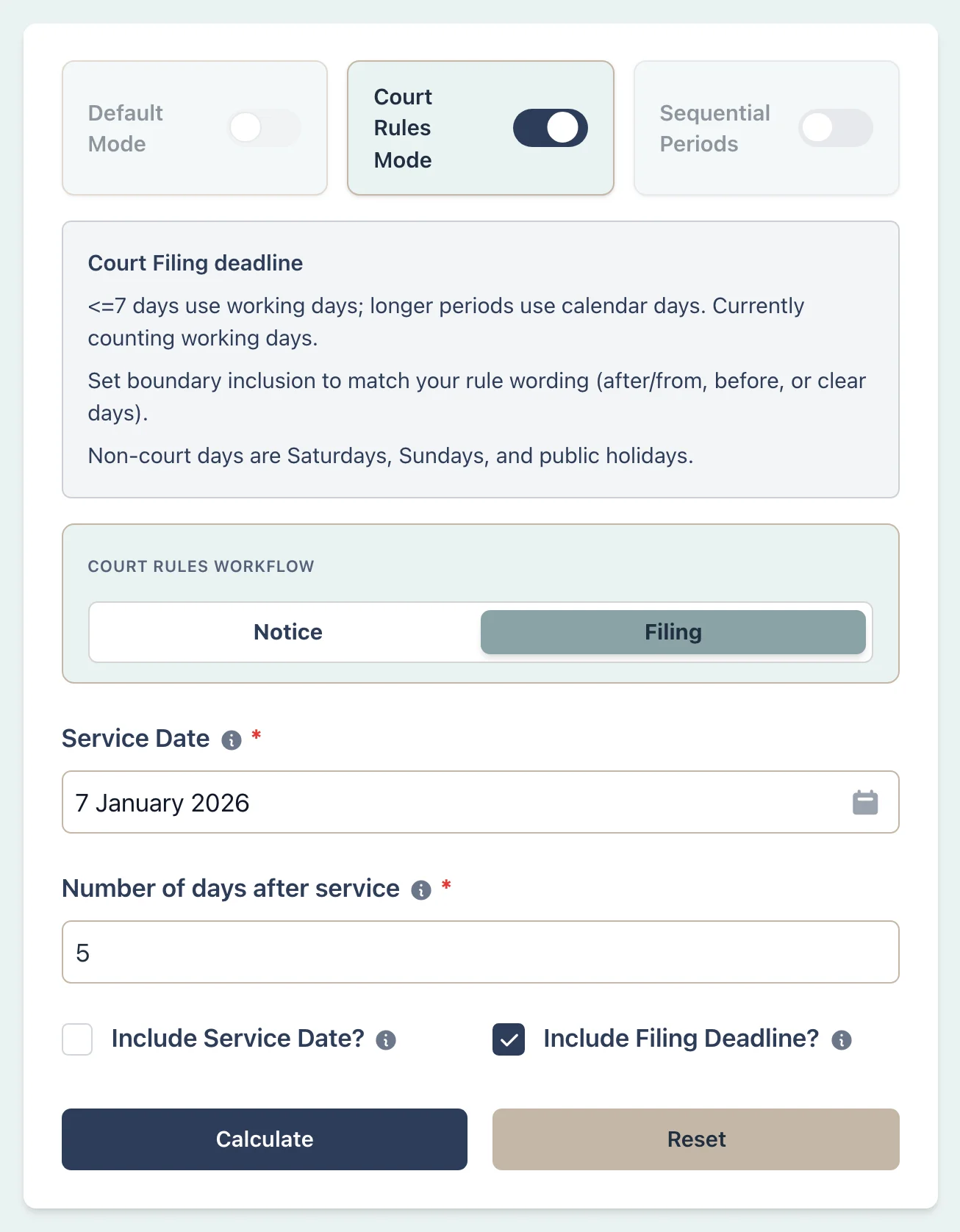
Assume the service rule gives a deemed service date of 7 January 2026 and a High Court order requires a reply within five days after service. Enter the deemed date as the start date. The selected court profile leaves Saturdays, Sundays and General Holidays out of this short count. Check the order, service rule and instructions about whether the first and last dates count.

Court filing deadline scenario setup
Tap to enlarge

Example Workflow

Use the step row to inspect each part of the workflow.

6 steps

Step 1

Court Rules

Select Court Rules

Result Example

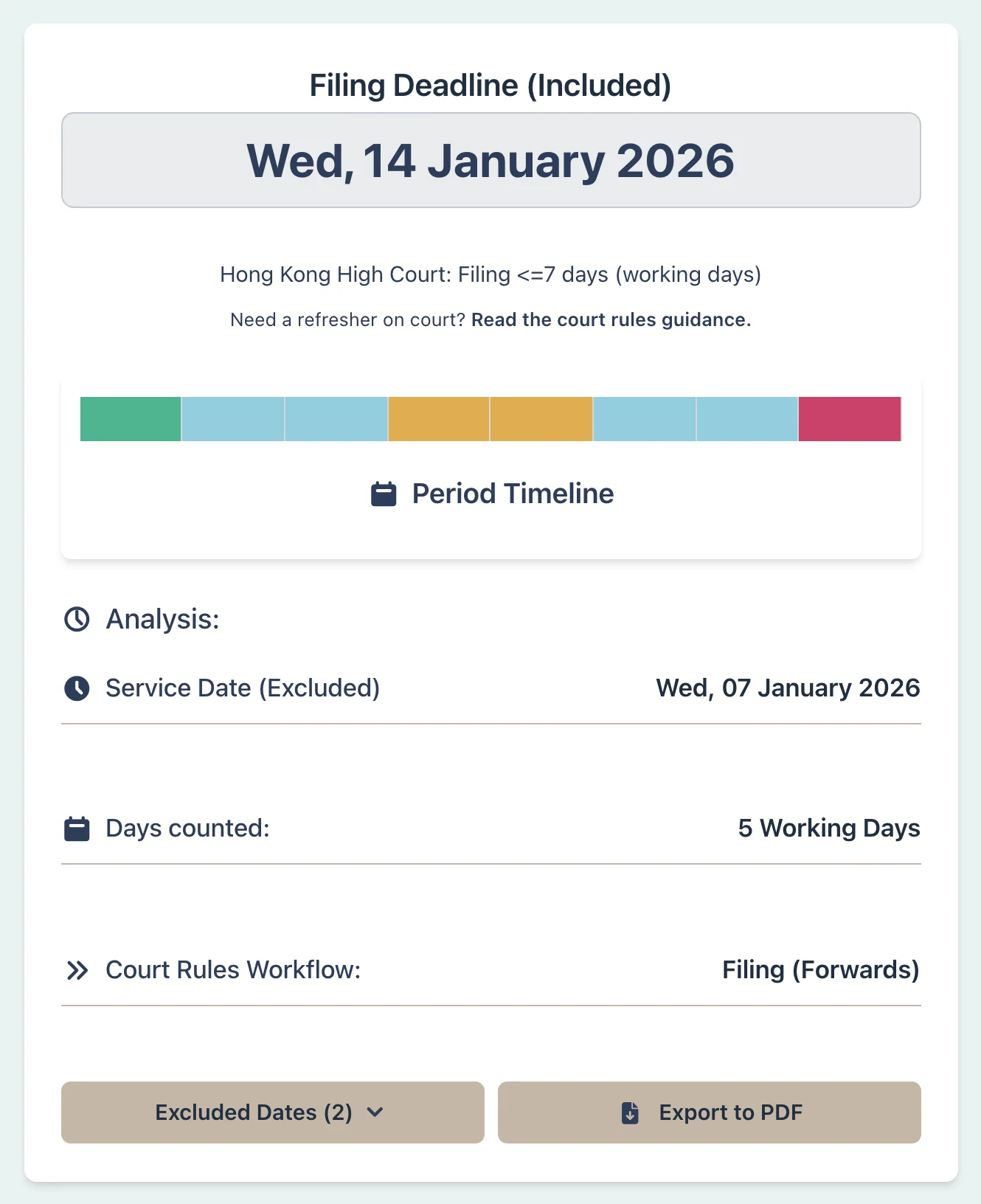
Deemed service date supplied: 7 Jan 2026
Timeline: 5 working days (from 8 Jan 2026)
Deadline: 14 Jan 2026
The five-day period begins on 8 January because the supplied trigger date is excluded.
Saturday and Sunday are excluded from the 5-day count. If the final day lands on a non-court day, the deadline may move to the next eligible day under the relevant rule.
Court filing deadline result example
Tap to enlarge

Why This Matters

  • Applies the selected court profile's short-period settings
  • Starts from the deemed service date supplied by the user
  • Leaves out Saturdays, Sundays, and General Holidays in this five-day example
  • Shows any final-day adjustment in the result

Review the Court Rules guide or check the Judiciary's Order 3 summary.

Litigation Associate:

High Court Pleading Deadline That Excludes August

Scenario

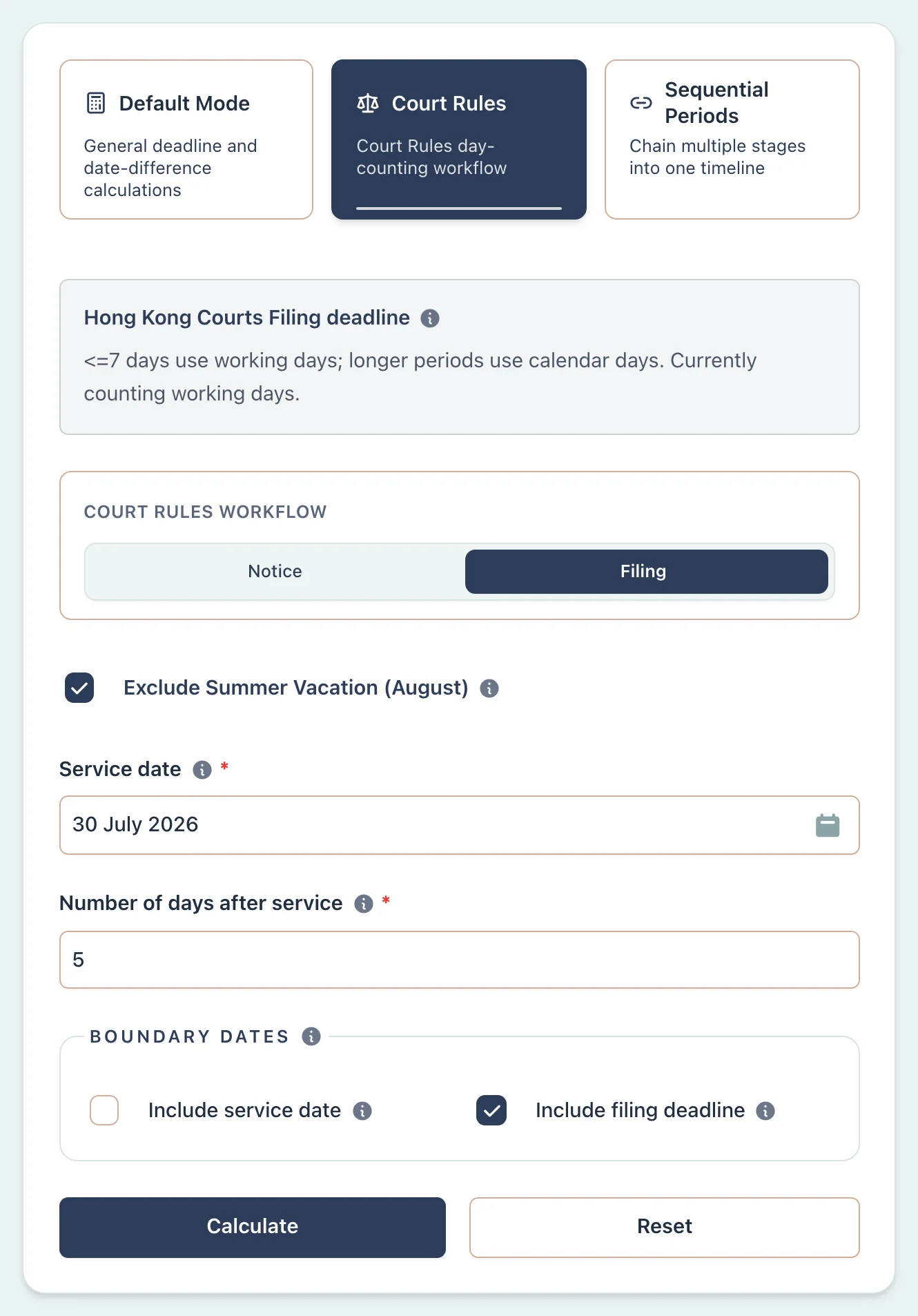
Assume RHC Order 3 rule 3 excludes the Summer Vacation from a High Court pleading deadline. The start date is 30 July 2026 and the period is 5 days after service. Turn on the August exclusion for this calculation. Do not treat it as a rule for every Hong Kong court deadline.

Calculator setup for Hong Kong pleading deadline with August exclusion
Tap to enlarge

Example Workflow

Use the step row to inspect each part of the workflow.

6 steps

Step 1

Court Rules

Select Court Rules

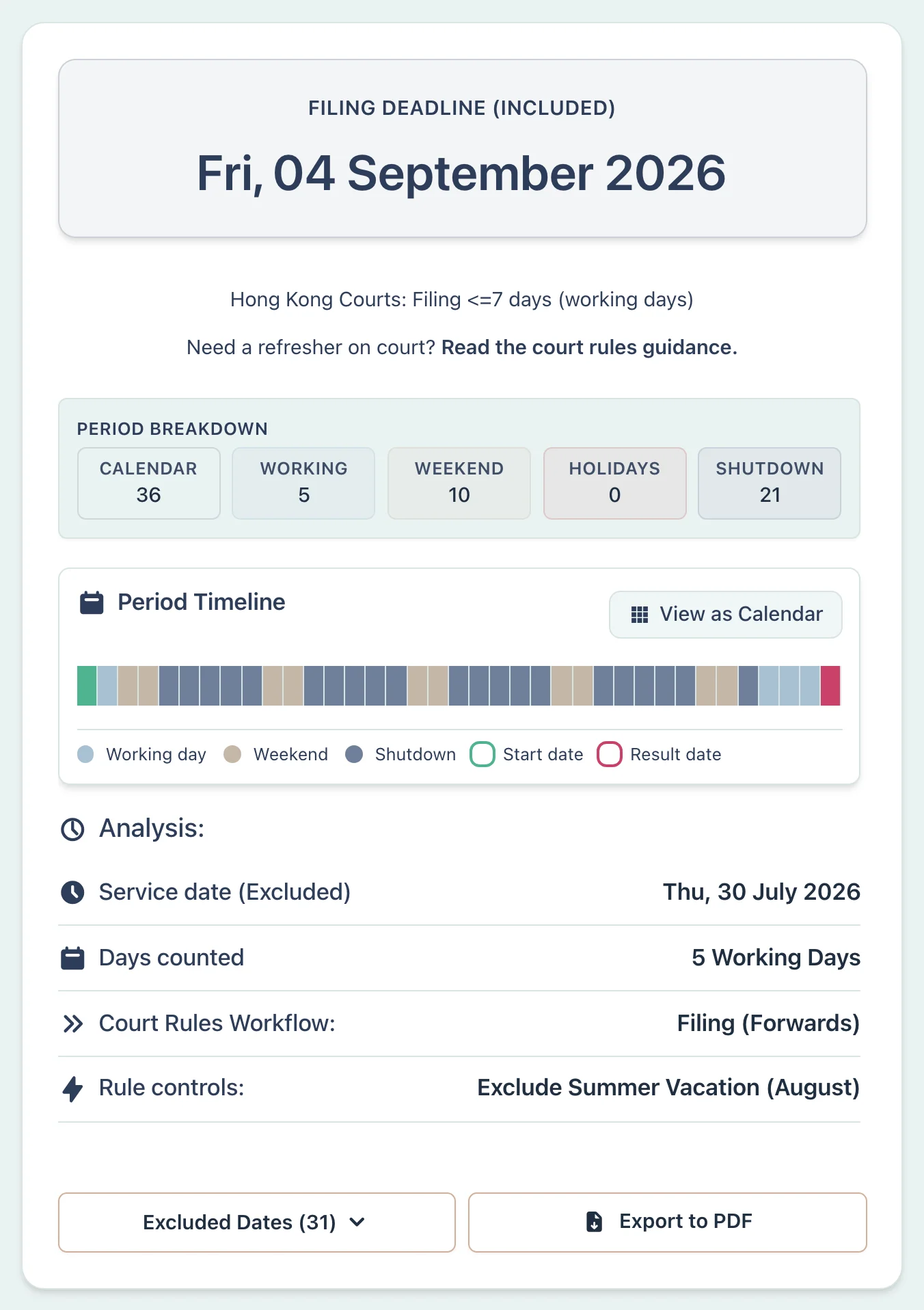
Result Example

Trigger Date: 30 July 2026
Timeline: 5 days after service, with August excluded under RHC Order 3 rule 3
Deadline: 4 September 2026
Without the pleading control, a 5-day filing period from 30 July 2026 would finish on 6 August 2026. Turning on Exclude Summer Vacation (August) skips the entire month of August, so the count resumes on 1 September and finishes on Friday, 4 September 2026.
Court pleading deadline result with the August exclusion
Tap to enlarge

Why This Matters

  • Shows when August is excluded for High Court pleading deadlines
  • Keeps the August exclusion as an explicit user-selected rule control
  • Makes it clear that the exclusion is not a baseline rule for every HK deadline
  • Provides a concrete worked example for RHC Order 3 rule 3

See the Court Rules guide and check the Judiciary's Order 3 summary.

Conveyancing Solicitor:

ASP Execution Deadline (First-hand Sale)

Scenario

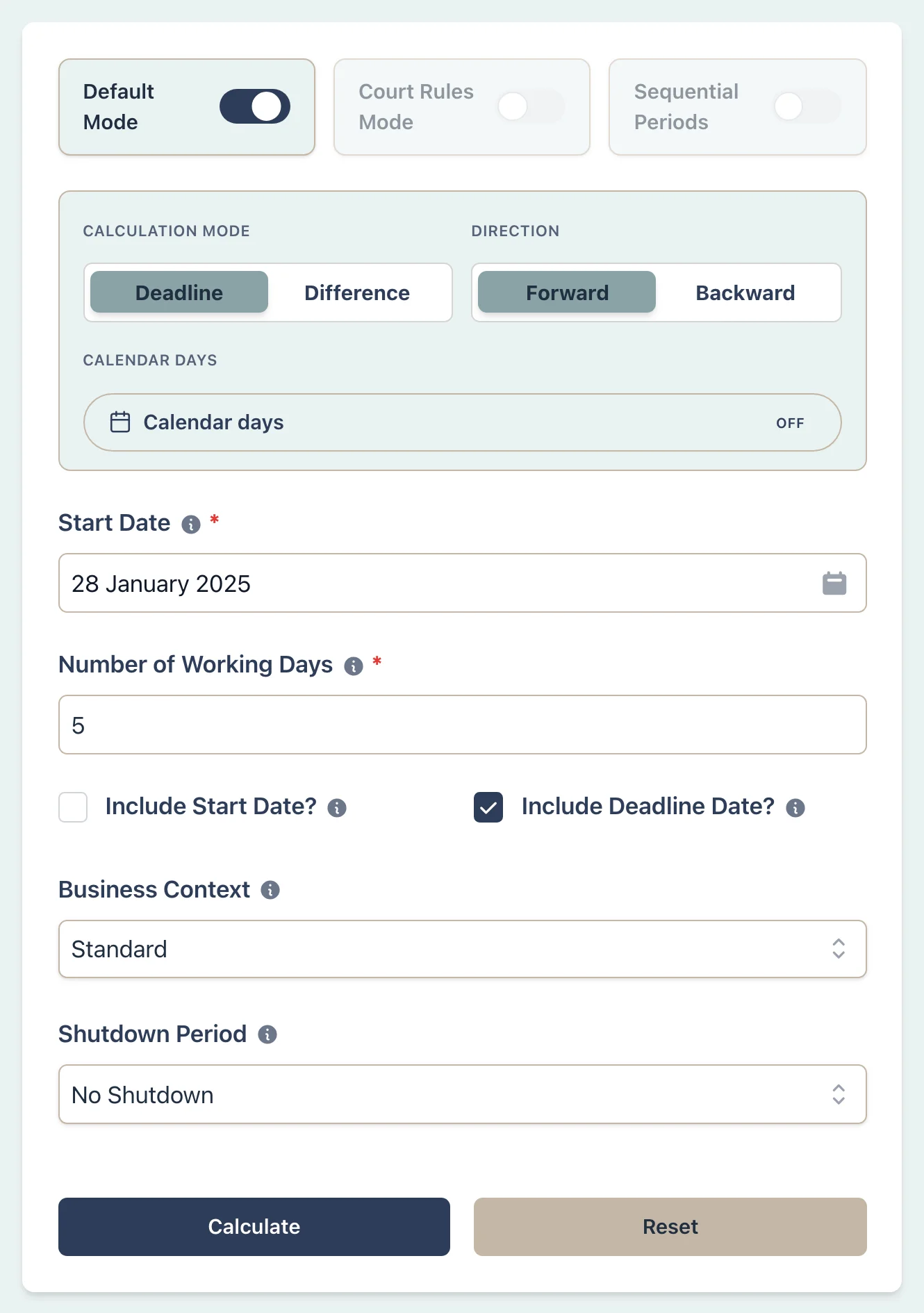
A purchaser enters into a Preliminary Agreement for Sale and Purchase (PASP) for a first-hand residential property on 28 January 2025. The SRPA says the purchaser must execute the formal Agreement for Sale and Purchase (ASP) within 5 working days. The three Lunar New Year General Holidays fall on 29–31 January. This example counts the scheduled holidays and weekends; it assumes no black rainstorm or gale warning day affects the period.

ASP execution deadline scenario setup
Tap to enlarge

Example Workflow

Use the step row to inspect each part of the workflow.

6 steps

Step 1

Deadline

Select Deadline mode

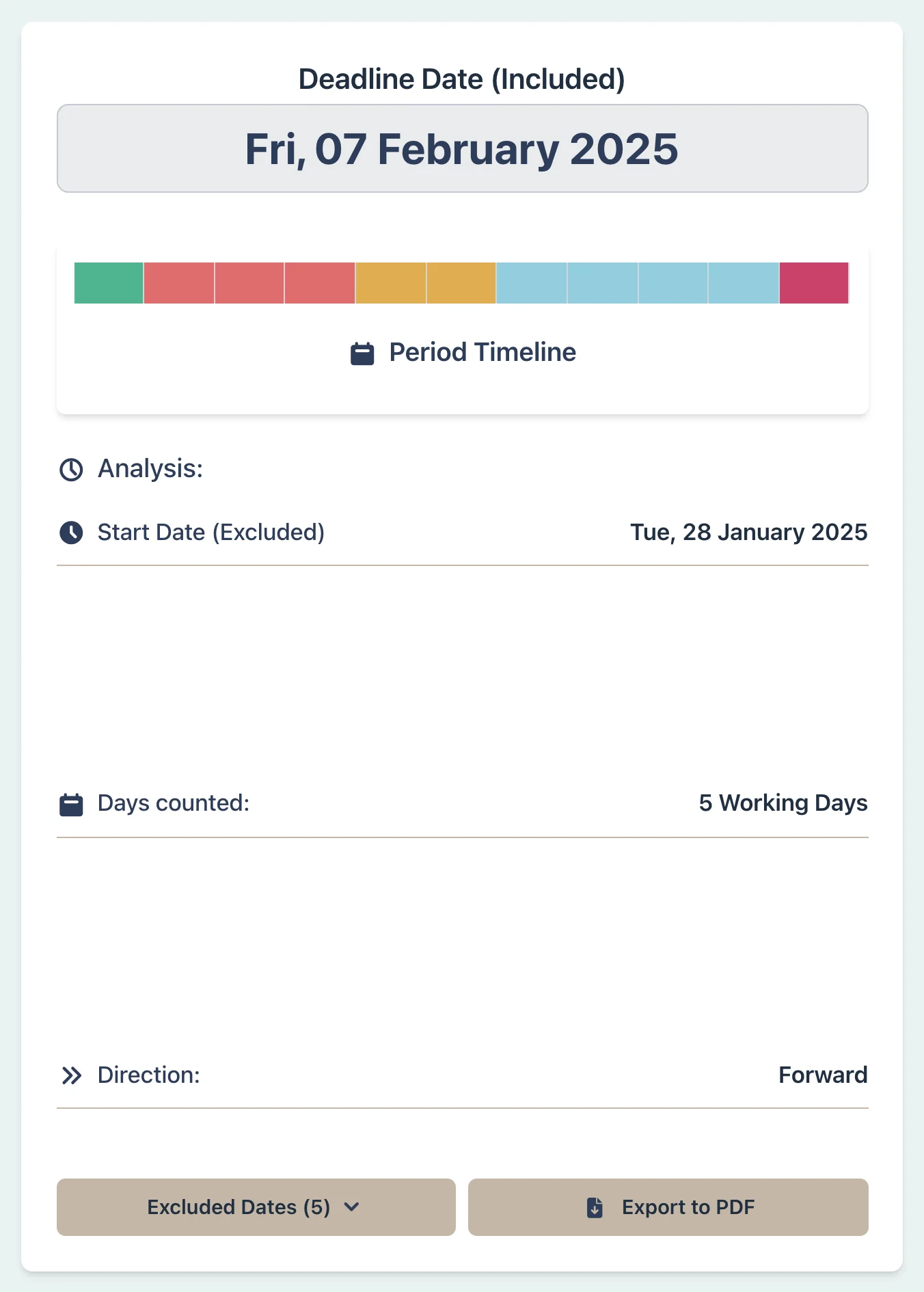
Result Example

PASP Signed: 28 Jan 2025 (Tuesday)
Lunar New Year Holidays: 29–31 Jan (3 General Holidays excluded)
Working Days 1–5: 3, 4, 5, 6, 7 Feb
ASP Deadline: 7 February 2025 (Friday)
The scheduled count excludes the three Lunar New Year General Holidays, Saturday 1 February, and Sunday 2 February.
The SRPA says that if the purchaser does not execute the ASP within the five-working-day period, the PASP is terminated and the 5% preliminary deposit is forfeited.
ASP execution deadline result example
Tap to enlarge

Why This Matters

  • Shows the scheduled part of the first-hand five-working-day count
  • Lists the weekends and Hong Kong General Holidays left out of the result
  • Makes the Lunar New Year holiday cluster visible
  • Keeps the PASP trigger date and boundary choices visible for checking
  • Leaves weather-warning checks and legal conclusions to the user

Review the settings in the Default Mode guide or read first-hand property sale deadlines.

Compliance Officer:

Substantial Shareholder Disclosure (SFO Part XV)

Scenario

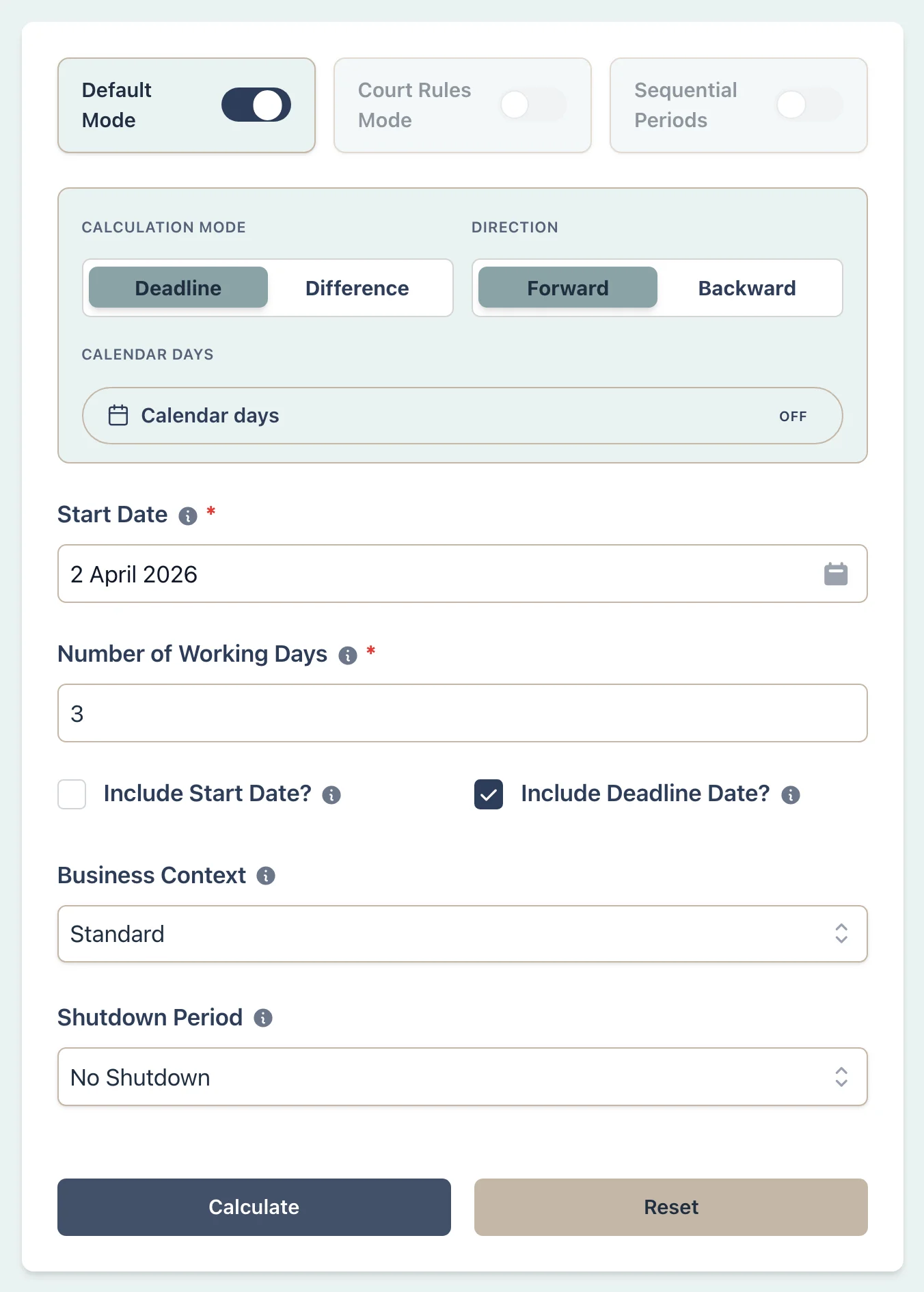
Assume a fund becomes aware on Thursday 2 April 2026 of an event that carries the usual three-business-day notification period under Part XV of the Securities and Futures Ordinance. The Easter and Ching Ming holiday cluster follows. This example counts scheduled non-business days; it assumes no gale or black rainstorm warning day affects the period.

Securities disclosure deadline scenario setup
Tap to enlarge

Example Workflow

Use the step row to inspect each part of the workflow.

6 steps

Step 1

Deadline

Select Deadline mode

Result Example

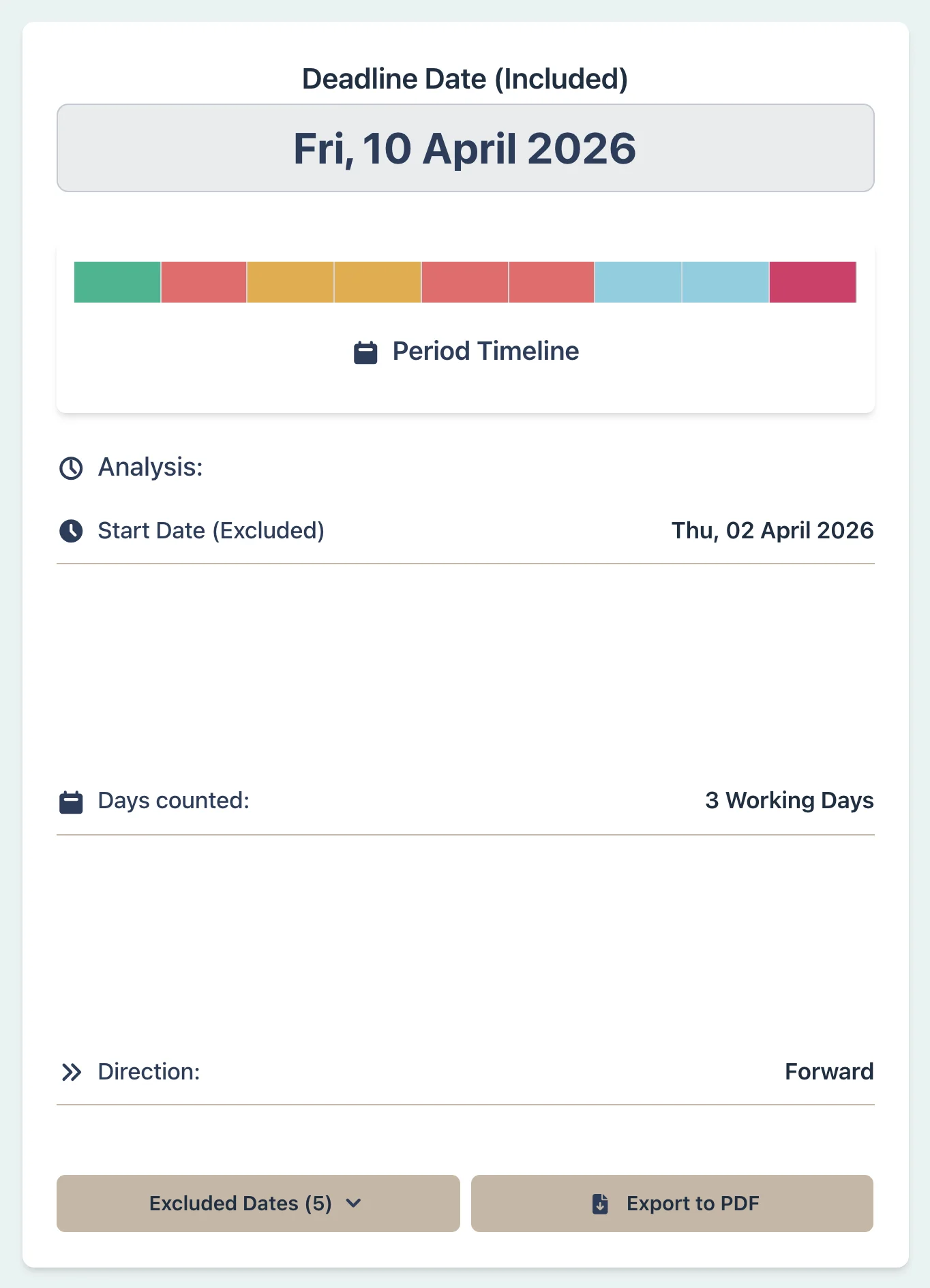
Awareness Date: 2 Apr 2026 (Thursday)
Non-working days: 3 Apr (Good Friday), 4 Apr (day following Good Friday), 5 Apr (Sunday), 6 Apr (day following Ching Ming), 7 Apr (day following Easter Monday)
Business Days 1–3: 8, 9, 10 Apr
Disclosure Deadline: 10 April 2026 (Friday)
The holiday cluster leaves no business day between 3 and 7 April. The three counted business days are therefore 8, 9, and 10 April.
Confirm that the event is notifiable, when awareness arose, and whether a warning day affected the count.
Securities disclosure deadline result example
Tap to enlarge

Why This Matters

  • Counts the usual three-business-day period from the supplied awareness date
  • Leaves out Saturdays, Sundays, and Hong Kong General Holidays
  • Shows the Easter and Ching Ming holiday cluster in the count
  • Leaves warning-day checks and disclosure status for separate review

Learn how to check the omitted dates in the result guide or browse working day articles.

Project Manager:

SFBC Interim Payment Certificate Response

Scenario

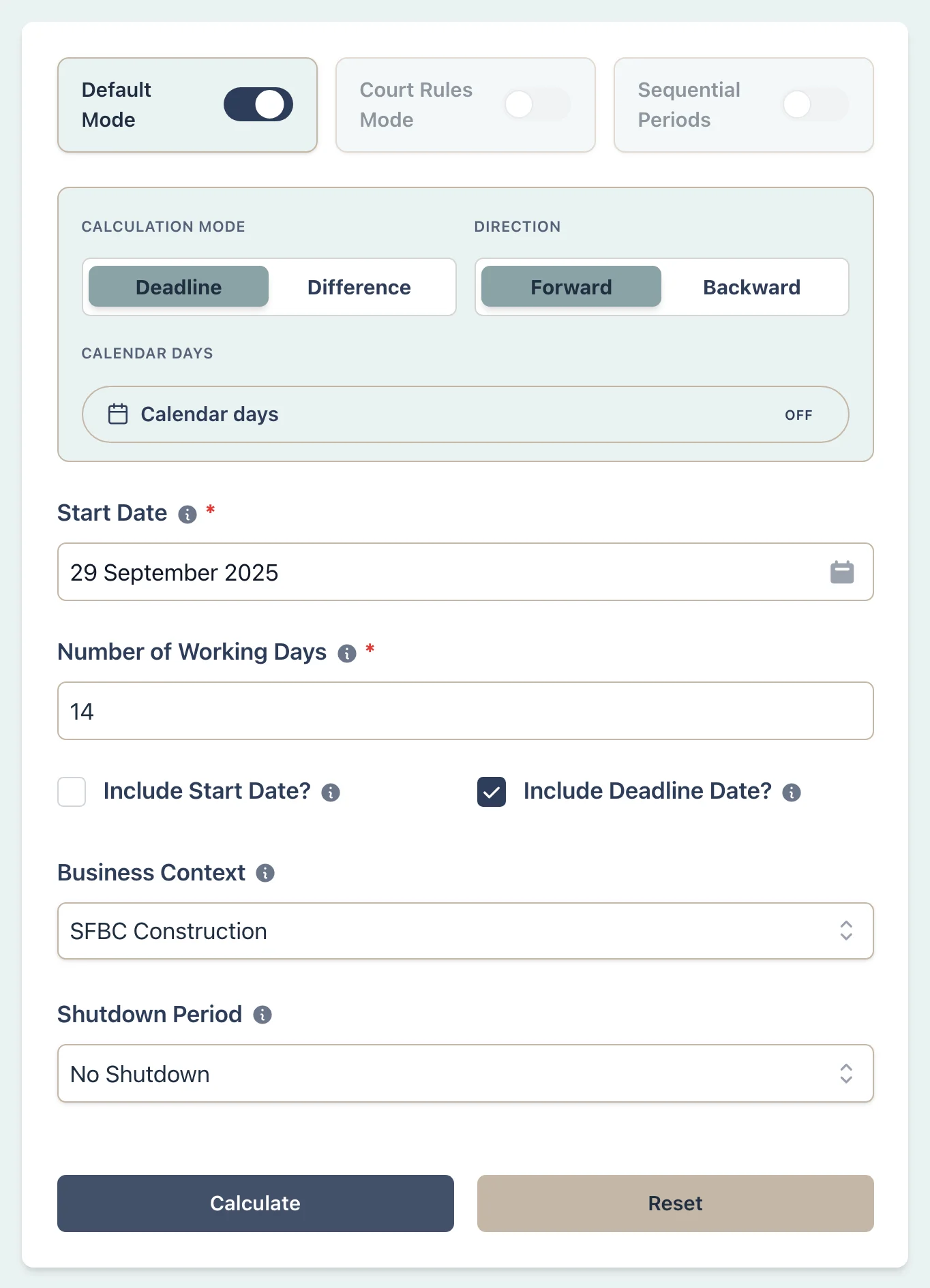
The architect issues an interim payment certificate on 29 September 2025 under a standard-form construction contract. The contractor must issue a payment response within the period stated in the contract (14 working days in this example). In this scenario, working days exclude Sundays and General Holidays. National Day (1 October) and Mid-Autumn Festival (7 October) both fall within this period. Calculate the response deadline.

Construction payment response deadline scenario setup
Tap to enlarge

Example Workflow

Use the step row to inspect each part of the workflow.

7 steps

Step 1

Deadline

Select Deadline mode

Result Example

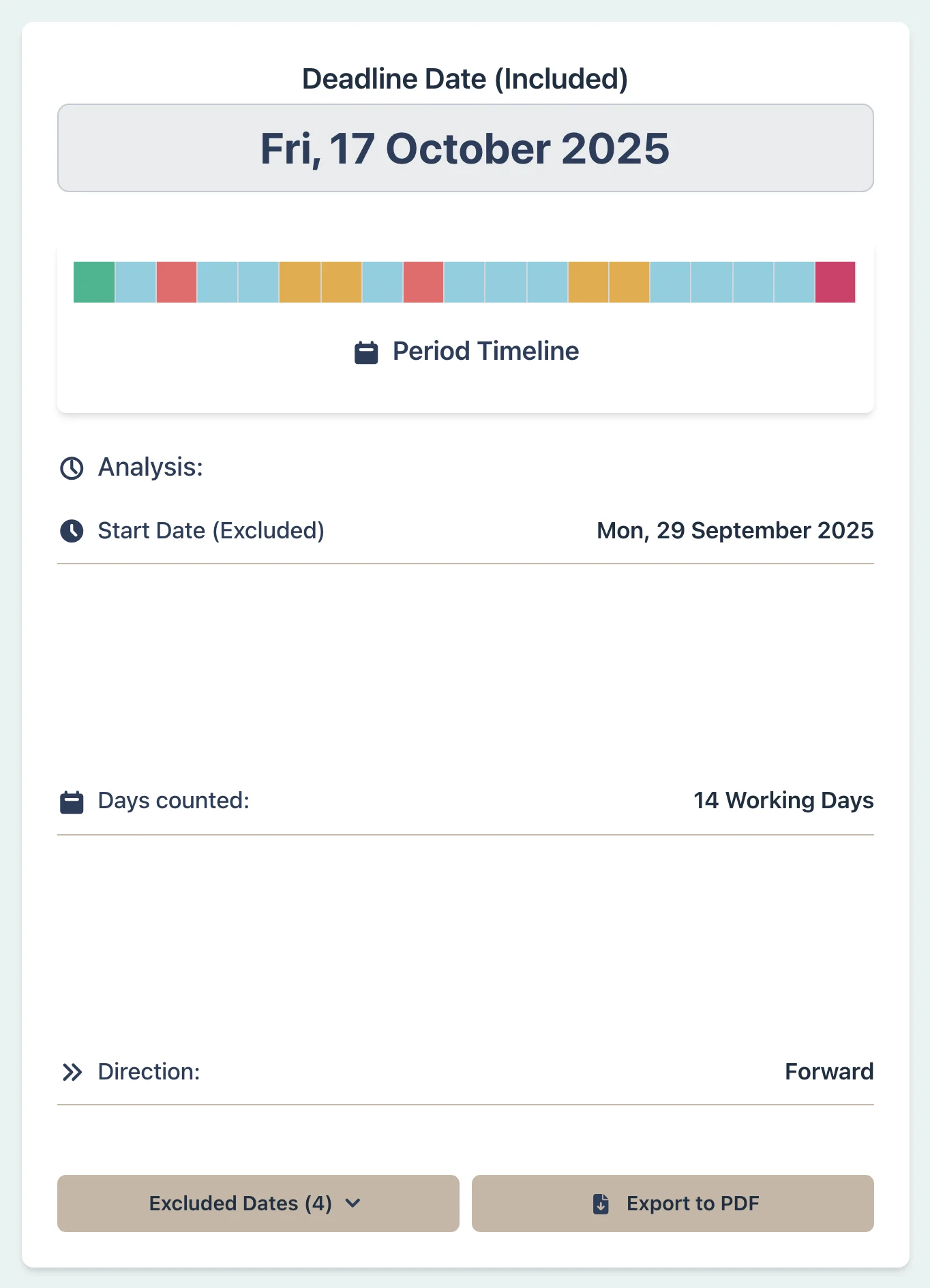
Certificate Issued: 29 Sep 2025 (Monday)
General Holidays in Window: 1 Oct (National Day), 7 Oct (Mid-Autumn Festival)
Working Days 1–14: 30 Sep, 2-4 Oct, 6 Oct, 8-11 Oct, 13-17 Oct
Payment Response Deadline: 17 October 2025 (Friday)
Fourteen calendar days after 29 September would end on 13 October. This contractual working-day count instead leaves out Sundays, National Day, and the Mid-Autumn Festival, so it ends on 17 October.
The contract must still establish the response period, trigger date, notice requirements, and consequences.
Construction payment response deadline result example
Tap to enlarge

Why This Matters

  • Counts the user-supplied contractual period using the SFBC working week
  • Leaves out Sundays and Hong Kong General Holidays
  • Shows the National Day and Mid-Autumn holidays inside this period
  • Keeps the certificate date, period, and boundary settings visible

Review the Business Context setting or browse working day articles.